
Choose a compatible Wi-Fi receiver
Find compatible speakers and network players on your local network.
 AirSound
 shares eligible Android audio with a compatible receiver on your Wi-Fi network. Choose a receiver, approve Android audio sharing and tune the outgoing sound. Trial and Pro share one listening experience; both are in internal testing.
Trial & Pro · internal testing
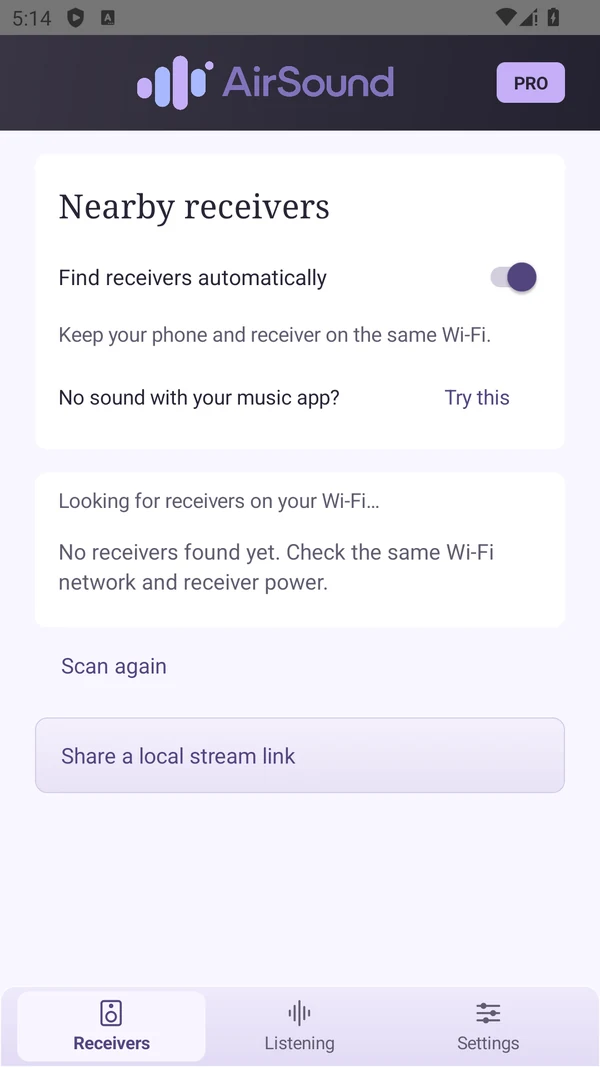
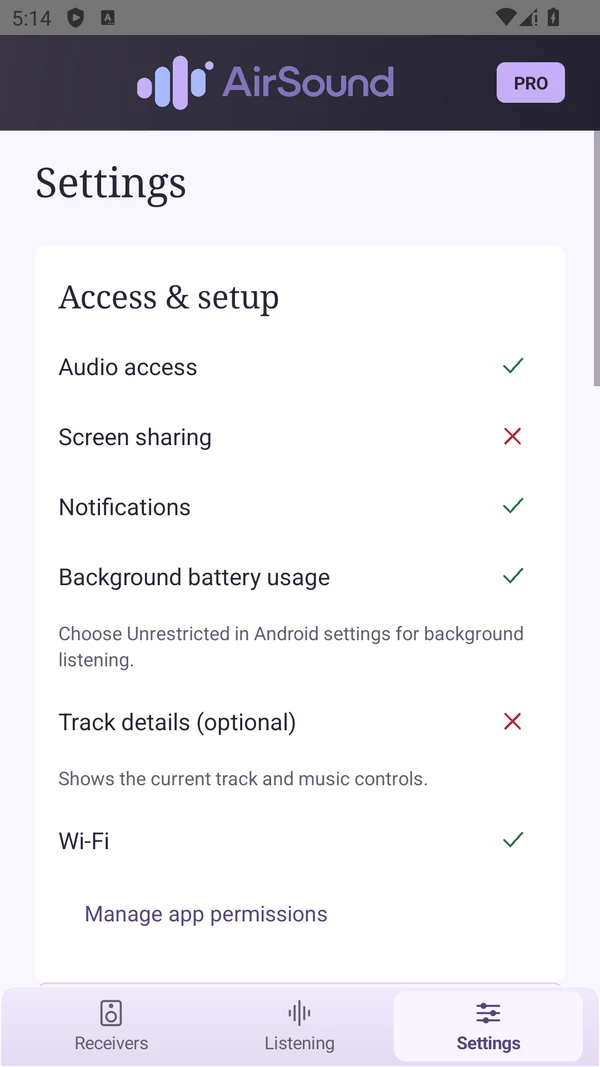
Find compatible speakers and network players on your local network.
Approve Android audio sharing, adjust the volume, or stop the session.
Use presets and a ten-band equalizer to adjust the sound.
Find guides and answers in the AirSound knowledge base.
Guides are currently in English.Open knowledge baseTrial and Pro share the same core experience. Take a look inside.
Discover compatible receivers on the same Wi-Fi, choose one, and keep its connection and volume close.
See available track details, check playback and shape the outgoing sound with presets and the ten-band equalizer.
Review permissions, background use and the connection settings that fit your receiver. Optional access remains your choice.
Both editions are currently in internal testing. Google Play links will appear here when available.
Eight-minute listening sessions with a five-minute cooldown. Two completed optional rewarded ads can unlock another session sooner.
The separate ad-free edition, without Trial session limits. Choose a compatible receiver and settle into listening.
Start with the protocol your receiver supports. One selected receiver at a time; synchronized multiroom is not available in this version.
| Connection | What to look for | What to know |
|---|---|---|
| AirPlay / AirPlay 2 | Compatible legacy receivers and modern pairing. Password protection depends on the receiver. | HomePod playback has been owner-tested on a specific browser-player path; other models require checks. |
| DLNA / UPnP | Compatible audio-renderer endpoints, including supported Sonos/HEOS services. | Protocol tests are not a guarantee for every physical model. |
| Google Cast | A receiver exposing the supported Cast audio service. | Model, firmware and network conditions affect playback. |
| AriaCast, Fire TV, Samsung MSF | Only devices exposing the implemented service, including legacy Fling/MSF paths. | A brand name alone does not establish compatibility. |
| HTTP / HLS | A private local stream link for compatible players; WAV or AAC HLS. | Anyone with a working link and network access can listen while sharing is active. |
How AirSound works.
Connect your phone and a compatible speaker or network player to the same local network.
Choose an eligible source and approve Android’s audio-sharing prompt. Source apps and protected content may restrict capture.
Control playback and volume, or stop sharing at any time. Choose Pro or explore the timed Trial edition.
Yes. AirSound Trial uses timed eight-minute listening sessions with a cooldown and optional rewarded-ad flow. Both editions are in internal testing. Public Google Play links are coming soon.
AirSound Pro is the ad-free edition. The Trial and Pro editions have their own privacy information and terms.
No. Capture depends on Android, the source app and receiver compatibility. Protected content may prevent sharing, and the local network must allow device discovery.
Contact support for the current Pro and Trial availability. Public store releases are not confirmed, so store buttons remain marked coming soon.
Privacy, terms of service and conditions, and support for AirSound.